Get started
Still unsure of the impact of Sonik?
See it for yourself and ask for your free trial


To track B2B website visitors, you identify the company behind each visit with IP-based lookup, add first-party data from email clicks, forms and your product, and send the matching account to a rep the same day. Tracking is the easy part. The value comes from calling the right person while the visit is still fresh.
In our experience, most teams stop at a dashboard. They know that 40 companies looked at the pricing page last week, and nobody picked up the phone.
No single method shows everyone. Combine the three below and accept that the picture will be partial.
Start with known contacts. Those visits cost nothing to set up, and they come from people who already know your name.
If you sell in France or elsewhere in Europe, privacy law shapes the setup. The ePrivacy Directive requires consent before non-essential cookies or similar trackers are placed on a visitor's device. The GDPR applies as soon as you process personal data. The French regulator, the CNIL, publishes guidance on what valid consent looks like and which audience measurement can run without it.
Four practical consequences:
A good rule of thumb: you need a company and a reason to call, not a file on one person.
A visit to your careers page is not a buying signal. A second visit to your pricing page is. Rank pages by how close they sit to a decision:
Two people from the same company reading different pages in one week is stronger than one long session. And filter before you route: customers, open deals, competitors and students are noise.
Reps only use about 20% of the signals already sitting in their CRM, yet 50% of Sonik's own pipeline comes from exactly those signals. Speed and routing decide whether a visit becomes a conversation.
If the account has no contact in your CRM yet, do not skip it. Pick the persona that fits the page, find two or three names with the right title, and call the most senior one who owns the problem. The visit gives you the account. The persona work gives you the person.
Do not open with "I saw you on our website". It sounds like surveillance and it makes the call about you. Open with the problem that the page implies.
The data supports this. In the Sonik benchmark, trigger-based openers reach a 7-10% meeting rate, against 2-3% for openers that start by pitching. And 65% of reps still begin by explaining what they sell.
A visit to a pricing page can become: "Hi Julie, we talk to RevOps leads who are tired of reps ignoring the data in the CRM. Is that on your plate this quarter?" You never mention the visit. You simply arrive with a relevant reason.
In our experience, most connects happen within the first three attempts. A visitor who does not answer on Tuesday is not a dead lead. Call again on Wednesday in a different slot, and leave a short voicemail that names the problem, not the product.
Do not judge it by the number of identified companies. Judge it by what reps do with them. Three numbers are enough:
If the first two are low, the problem is routing. If the third is low, the problem is the opener or the filter. Fix them in that order.
We treat a website visit as one CRM signal among others, next to job changes, closed-lost deals and dormant leads. We do not try to build a tracking layer of our own. We read the visit data that already lives in your CRM, match it to the account and the right persona, and place the contact in the rep's dialing queue.
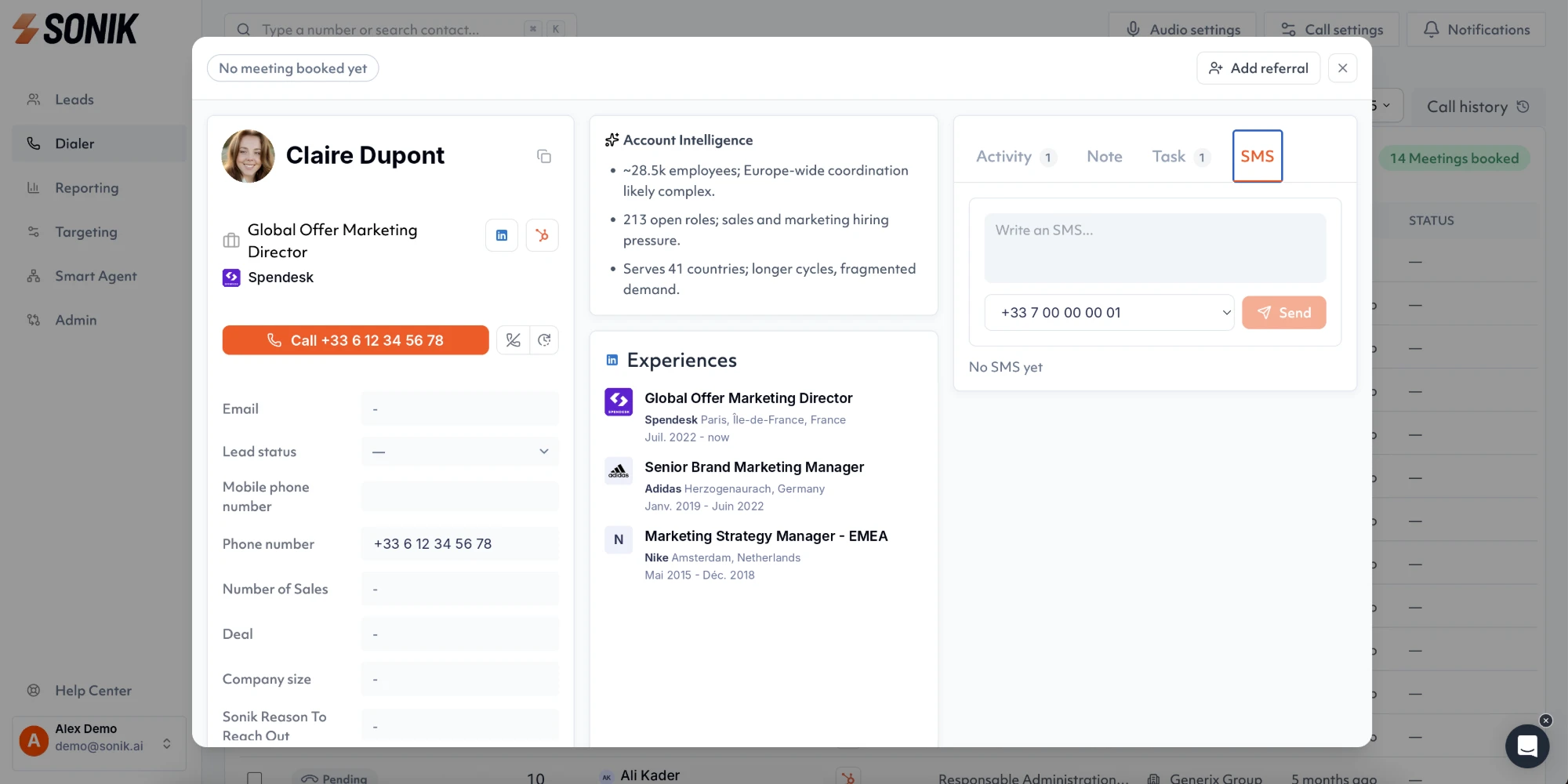
From there the rep uses the dialer with the context in front of them: which page, how often, who else from the account is in the CRM. The aim is the same as for every signal: a relevant call, the same day.
Visitor tracking only pays when someone calls. This week, export the last 30 days of pricing page visits from your CRM and check how many of those accounts were called within 24 hours. Then pick the ten best ones and call them on Thursday at 10am or 4pm.