Get started
Still unsure of the impact of Sonik?
See it for yourself and ask for your free trial


Sales automation for outbound means letting software do the parts of prospecting that do not need judgment: dialing, logging, research, scheduling, follow-up triggers. The conversation stays human. Automate the wrong things and you get more noise and fewer meetings; automate the right ones and a rep goes from 4 or 5 conversations a day to 20. Here is how we draw the line, and the four categories of tools that matter.
Sales automation is any software that removes a manual step between "I have a list" and "I have a meeting". It is not a CRM. The CRM is the system of record; automation is what feeds it and reads from it.
It is also not an AI agent that runs the call for you. We tested that path. The conversation is where the meeting is won, and buyers can tell when there is nobody on the line.
A useful test: if a task is repeated more than 20 times a day and has no decision in it, automate it. If it needs context, a tone of voice or a judgment call, keep it with the rep and give them better inputs.
Dialing is the biggest time sink in cold calling and the easiest to automate. Our benchmark of 1,000,000 B2B cold calls in France puts the average connect rate at 11.3%. That means roughly 9 dials out of 10 end in a ring-out or a voicemail, and a rep on a single line spends most of the hour listening to nothing.
A parallel dialer calls several numbers at once and bridges the rep when a human answers. In our data this gives reps 5x more conversations for the same hours. That is the single largest productivity gain available in outbound and nothing else on this list comes close.
Call outcome, duration, recording, next step, notes: a rep logging this by hand loses 30 to 60 seconds per call. At 100 dials a day that is up to an hour. Automated logging also fixes the thing managers complain about most: data that is missing because nobody had time.
Pre-call research is where reps either over-invest (15 minutes reading a LinkedIn profile) or under-invest (nothing). AI call prep solves this by assembling the three things that matter before a call: who the person is, what changed recently at the account, and what you last said to them. We think 60 seconds of prep is the right number; above that, the research is procrastination.
The best automation is the one that tells a rep who to call today. Reps use only about 20% of the signals already sitting in their CRM: a closed-lost deal from 9 months ago, a champion who changed jobs, a dormant lead whose company just visited the pricing page. Automating the trigger (the "call this person now" alert) is cheaper than buying a new list and converts better. Half of Sonik's own pipeline comes from signals that were already in our CRM.
Three things, in our experience, get worse when you automate them.
You will not buy one tool. You will buy three or four, and the question is whether they talk to each other. Our criteria, in order:
Start with the dialer. It pays back fastest, it produces the data (recordings, outcomes) the other tools need, and it tells you quickly whether the list or the message is the real problem.
Dialing automation shows up within the first week: conversations per day is the metric, and it should move before anything else. Logging automation shows up in the manager's dashboard within a month, as the first full dataset you have ever had. Trigger automation is slower, because it depends on how much history sits in your CRM, but it compounds.
What does not change on its own is the meeting rate per conversation. If reps book 1 meeting out of 20 conversations before automation, they will book 1 out of 20 after, just five times more often. That is the moment to invest in coaching, not more tools. Our north-star funnel is 20 conversations per SDR per day; the second half of the work is what happens inside those 20.
We built Sonik around one rule: automate everything before and after the conversation, nothing inside it. The parallel dialer handles dialing, voicemail detection and logging. AI call prep writes the 60-second brief before each call. Live coaching listens and suggests during the call, but the rep speaks.

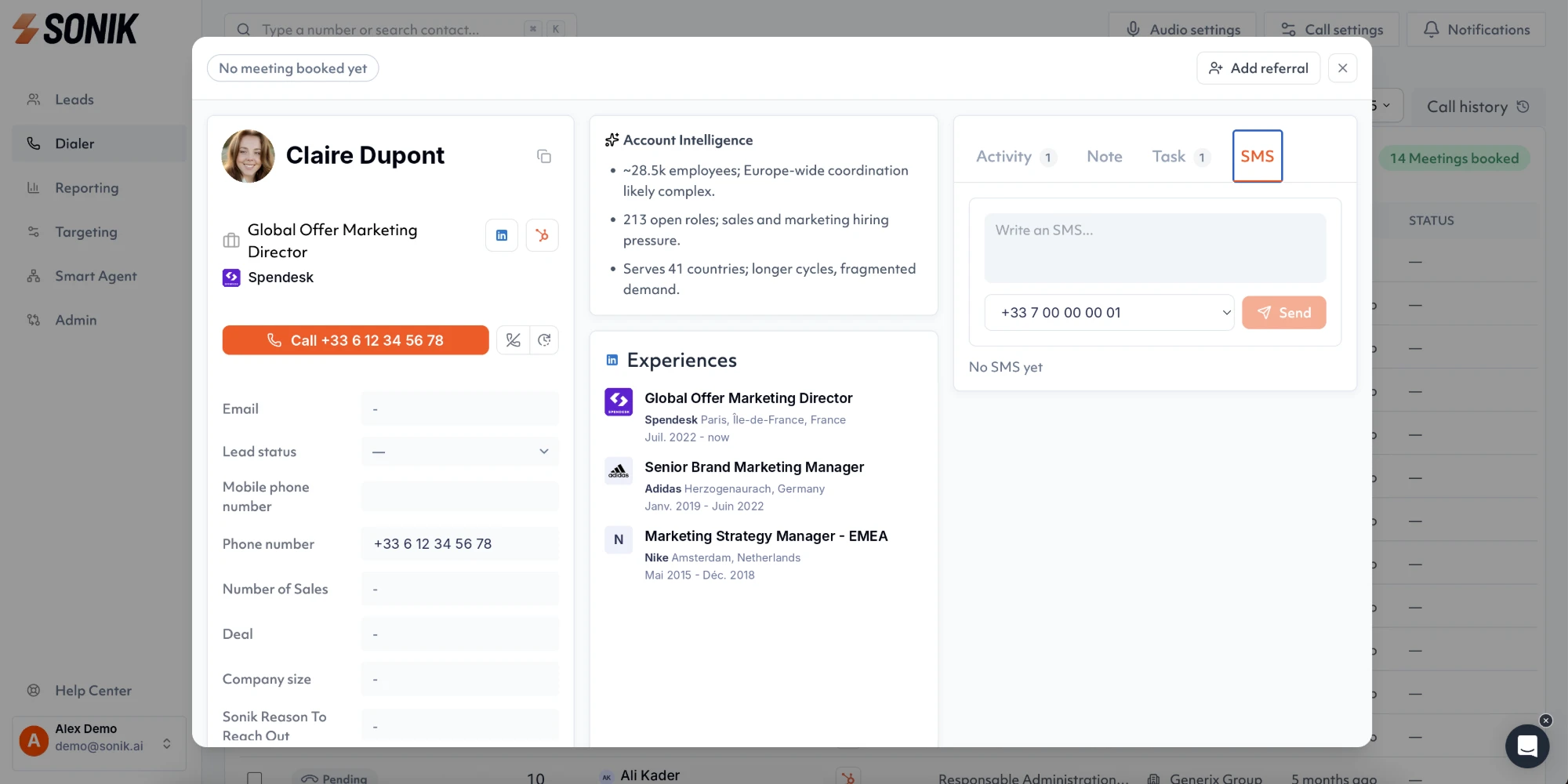
On the trigger side, Sonik signals watch the CRM and the web for the events that justify a call today: website visits, job changes, closed-lost deals coming back into budget, dormant leads, social intent. The rep opens the dialer and the list is already sorted by reason to call.
We are French and we sell to European teams first, so number quality, caller ID authentication and GDPR-compliant recording are defaults, not options.
Automate dialing, logging, prep and triggers. Keep the opener, the questions and the qualification human. The order matters: dialer first, because it produces the conversations and the data everything else runs on. This week, time one rep for one hour of calling and count minutes spent talking versus minutes spent waiting; if talk time is under 20%, you know where to start.