Get started
Still unsure of the impact of Sonik?
See it for yourself and ask for your free trial

Two SDRs calling the same prospect three days apart is the fastest way to turn a neutral decision maker into a hostile one. It happens in every team above three reps, and it is not a data-cleaning problem: deduplicating the CRM tells you two rows are one person, it does not tell you who calls next. The fix is a rule set, enforced in the dialer: one person, one record owner, one next caller, and a dial lock that stops anyone else loading the contact for seven days.
In our benchmark of 1,000,000 B2B cold calls, the average connect rate is 11.3%. A pickup is rare. When a second rep gets that rare pickup from someone who already told the first rep "not now", three things happen: the prospect concludes the company is disorganised, the second rep opens cold on a contact who should have been warm, and the first rep's callback date is now worthless.
In our experience teams with no collision rules lose between 5 and 10% of their conversations to this, and more as headcount grows. On a team of eight SDRs that is a rep's worth of output.
Most collisions come from treating one field as three.
Write these as three fields. When they agree, nobody argues. When they disagree, the rules below decide.
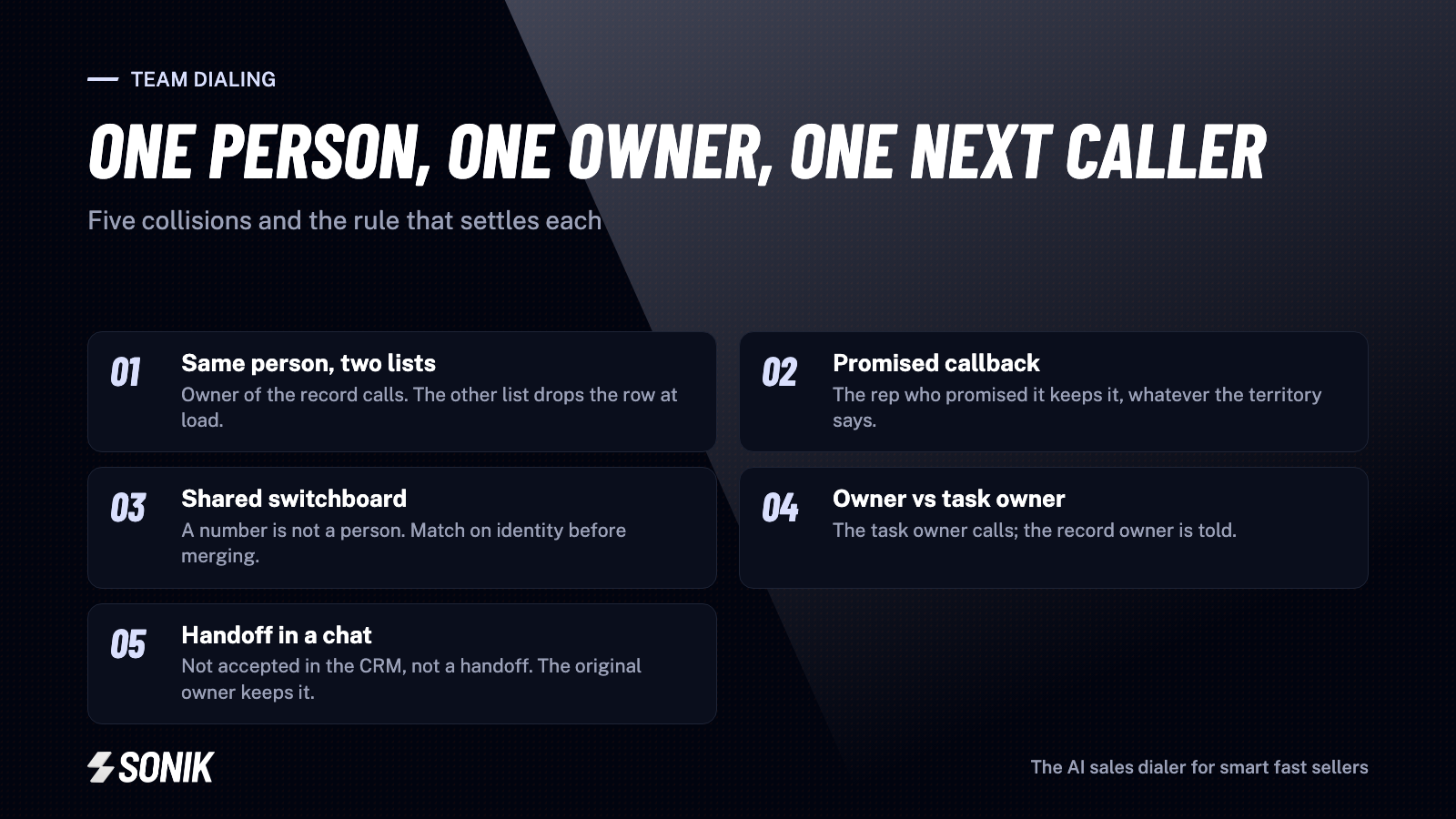
Both lists are valid: one by industry, one by signal. Rule: the record owner calls; the other list drops the row when it loads. If there is no owner, the list built on a signal wins, because the signal makes the opener. Trigger-based openers reach a 7 to 10% meeting rate in our data against 2 to 3% for pitch-first; do not waste the trigger on the wrong rep.
Rep A spoke to the prospect, who said "call me in March". Rep B's new list contains them in February. Rule: a promised callback beats everything, including territory. Rep A keeps it, Rep B never sees the row. This is the collision that destroys the most value, because a dormant contact called back on the agreed date with "How have you been?" reaches around 10% success against 1.5% for a cold open.
A switchboard, a shared office line, a reception mobile. Rule: never merge on the number. Match on name plus company or LinkedIn. Two contacts behind one number can both be called, by the same rep, in the same session, with reception told who is wanted.
The account belongs to Rep A; a task to call the CFO was assigned to Rep B after a webinar. Rule: the task owner calls, the record owner is notified before the call and gets the note after. Reassigning the account because of one task is how teams spend a Monday arguing.
"Hey, can you take Acme, I am off next week." Rule: a handoff that is not accepted in the CRM did not happen. The original owner keeps the contact until the new owner clicks accept. Chat is where callbacks go to die.
Rules on a wiki are forgotten by Wednesday. The one mechanism that works is a lock in the dialer: a contact called by anyone in the team in the last seven days is not loaded into another rep's session, with the name of who called and the disposition shown instead. Seven days is our default because most retry cadences fit inside it; a "not now" with a dated callback extends the lock to that date.
Add two exceptions. A rep can release their own lock (they called the wrong person). A manager can release any lock. Everything else waits.
For call blitzes and shared-list days, spend five minutes before the session on an overlap list: contacts that appear in more than one rep's list, with the record owner, the last activity, any promise and a decision. Then, after deciding, check the loaded queues on both reps' screens rather than the spreadsheet, because a decision that did not reach the dialer is not a decision. We cover the session mechanics in how to run a call blitz that books meetings.
Two numbers. Collisions caught before dialing (the lock fired) and confirmed duplicate attempts (two reps reached the same person within the window). The first should grow as lists overlap more; the second should go to zero. If the second does not fall, the rule people break is usually the chat handoff.
Sonik builds each rep's session list from the CRM at load time and applies the lock there: a contact called by a teammate in the last seven days, or holding a dated callback, is shown with the teammate's name and disposition and is not dialed. Promised callbacks are assigned to the rep who made them and surface on the day, whatever the territory.
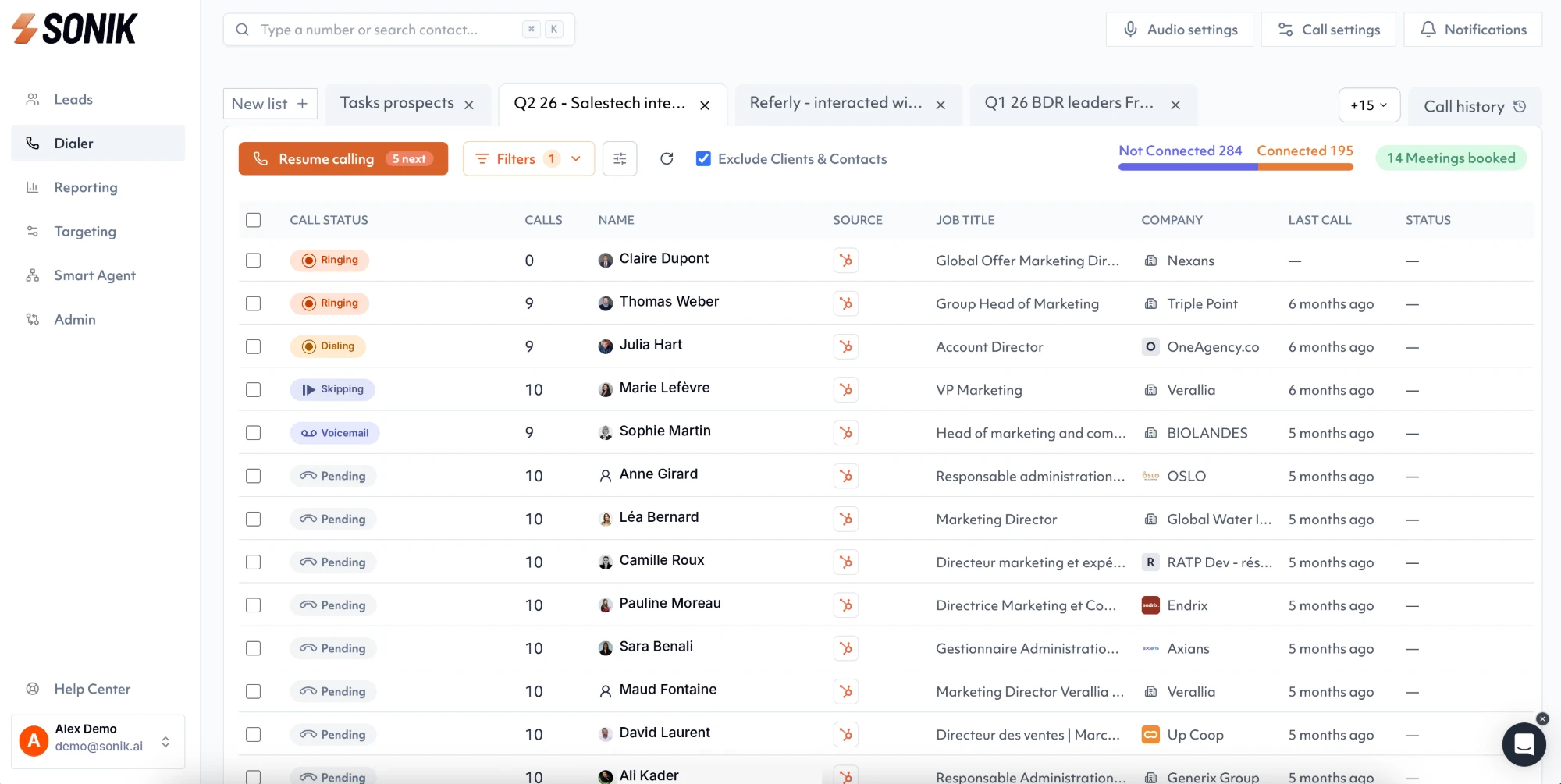
During a shared session the team sees who is on which account in real time, so two reps never ring the same company at once, and every call ends on a disposition that writes the owner, the outcome and the next action to the CRM. Managers see collisions caught and collisions missed per week, which is the number that tells you whether the rules are being followed.
Duplicate dials are a workflow problem, not a data problem. This week, define the three fields (person, owner, next caller), write the five rules where the team can see them, and turn on a seven-day lock in your dialer. Then count confirmed duplicate attempts for a month. It is one of the few outbound metrics that should read zero.